Comtech EF Data Vipersat 564L Uživatelská příručka Strana 83
- Strana / 150
- Tabulka s obsahem
- KNIHY

- User Guide 1
- Vipersat CDD-56X Series 3
- Document Revision History 5
- Table of Contents 7
- Appendix A 8
- Appendix B 8
- Appendix C 9
- Appendix D 9
- Appendix E 9
- List of Figures 11
- Appendix A Figures 12
- Appendix B Figures 12
- Appendix C Figures 12
- Appendix D Figures 12
- List of Tables 13
- How to Use This Manual 15
- Conventions and References 16
- Product Description 17
- Router Features 18
- Dynamic SCPC (dSCPC) 18
- Single Hop On Demand 19
- New in This Release 20
- Chapter 1 - General 1-7 21
- Customer Support 22
- Reader Comments / Corrections 23
- QUICK START CONFIGURATION 25
- Initial Configuration 26
- Table 2-1 27
- Figure 2-1 28
- Figure 2-2 28
- Figure 2-3 29
- Figure 2-4 29
- Figure 2-5 30
- Table 2-2 30
- Figure 2-6 31
- Figure 2-7 33
- Figure 2-8 34
- Figure 2-9 35
- Common Screen Commands 38
- Menu Descriptions 39
- Figure 3-1 39
- Figure 3-2 40
- Figure 3-3 40
- Figure 3-4 41
- Figure 3-5 42
- Vipersat File Streamer 43
- Vipersat Configuration 44
- Figure 3-6 44
- Figure 3-7 45
- Figure 3-8 45
- Figure 3-9 46
- Group ID 48
- Figure 3-10 49
- Figure 3-11 50
- Figure 3-12 51
- Figure 3-13 51
- Figure 3-15 52
- Figure 3-14 52
- Figure 3-16 53
- Figure 3-17 54
- Figure 3-18 54
- Figure 3-19 55
- Figure 3-20 56
- Figure 3-21 56
- Figure 3-22 57
- Figure 3-23 58
- Figure 3-24 58
- Figure 3-25 59
- Figure 3-26 59
- Figure 3-27 60
- Figure 3-28 60
- Figure 3-29 60
- Figure 3-30 61
- Figure 3-31 61
- Figure 3-32 62
- Figure 3-33 62
- Figure 3-34 63
- Figure 3-35 63
- Figure 3-36 64
- Figure 3-37 64
- Figure 3-38 66
- Figure 3-39 67
- Figure 3-40 68
- Figure 3-41 68
- Figure 3-42 69
- Figure 3-43 70
- Figure 3-44 71
- Figure 3-45 71
- Figure 3-46 72
- Figure 3-47 73
- Figure 3-48 73
- Figure 3-49 74
- Figure 3-50 74
- Primary Heart Beat 75
- Home State Revert 75
- Figure 3-51 77
- Figure 3-52 77
- Figure 3-53 78
- Figure 3-54 79
- Figure 3-55 80
- Figure 3-56 81
- Figure 3-57 81
- Figure 3-58 82
- Figure 3-59 82
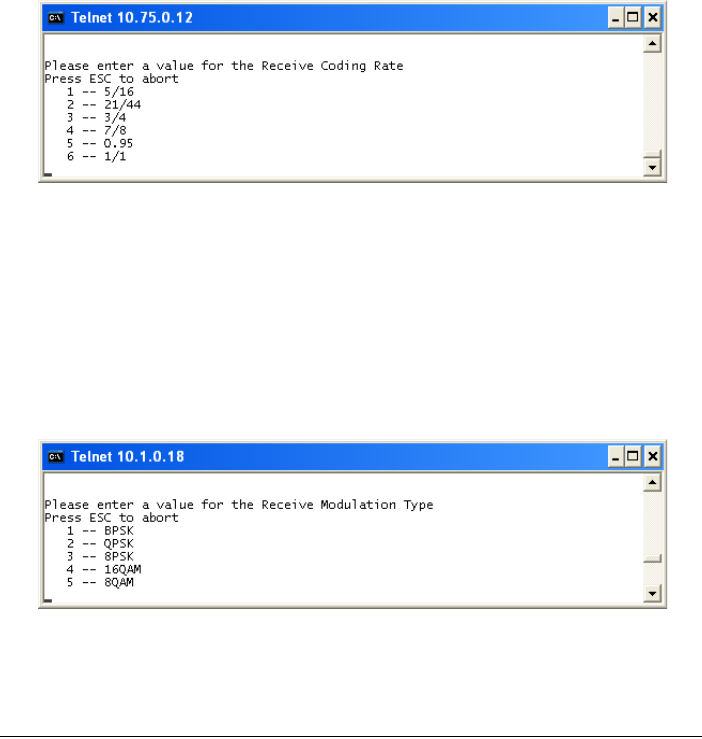
- Figure 3-60 83
- Figure 3-61 83
- Figure 3-62 84
- Figure 3-63 85
- Figure 3-64 86
- NETWORK ADDRESSING 87
- The OSI Reference Model 88
- Figure A-1 88
- Binary Math 90
- IP Addressing 92
- Private Network IP Addresses 94
- Subnet Mask 95
- Network Segments 96
- Figure A-9 97
- Example: 00-3f-bf-00-01-45 97
- Figure A-10 98
- AUTOMATIC SWITCHING 99
- Load Switching 101
- Table B-1 101
- Figure B-1 103
- Load Switching Process 104
- Figure B-2 105
- Load Switch Example 106
- Figure B-3 107
- Figure B-4 109
- Application Switching 109
- B - Automatic Switching B-13 111
- Fail-Safe Operation 112
- Figure B-5 113
- Figure B-6 114
- DYNAMIC POWER CONTROL 115
- Description 117
- Table C-1 117
- Adjustment for Data Rate 119
- Figure C-1 120
- NETWORK MIGRATION 123
- Firmware Upgrade 125
- Figure D-1 126
- Figure D-2 127
- Figure D-3 127
- Figure D-4 128
- Figure D-5 128
- Figure D-6 129
- Figure D-7 130
- Figure D-8 131
- Figure D-9 132
- Figure D-10 132
- Figure D-11 133
- Figure D-12 133
- Figure D-13 134
- Figure D-14 134
- Figure D-15 135
- Figure D-16 135
- Figure D-17 136
- Figure D-18 136
- Figure D-19 137
- Figure D-20 137
- Figure D-21 138
- Figure D-22 139
- Figure D-23 139
- GLOSSARY 141
- Appendix E - Glossary E-3 143
- Appendix E - Glossary E-5 145
- Appendix E - Glossary E-7 147
- Appendix E - Glossary E-9 149
Související produkty a manuály pro Sítě Comtech EF Data Vipersat 564L
 (240 stránky)
(254 stránky)
(342 stránky)
(434 stránky)
(136 stránky)
(130 stránky)
(172 stránky)
(242 stránky)
(460 stránky)
(124 stránky)
(244 stránky)
(212 stránky)
(258 stránky)
(260 stránky)
(5 stránky)
(240 stránky)
(254 stránky)
(342 stránky)
(434 stránky)
(136 stránky)
(130 stránky)
(172 stránky)
(242 stránky)
(460 stránky)
(124 stránky)
(244 stránky)
(212 stránky)
(258 stránky)
(260 stránky)
(5 stránky)
© 2020, manymanuals.cz. Všechna práva vyhrazena. | 0.042 s |
 Manymanuals.com
 Manymanuals.de
 Manymanuals.fr
 Manymanuals.it
 Manymanuals.pl
 Manymanuals.cz
 Manymanuals.es
 Manymanuals-pt.com
Komentáře k této Příručce